
Print Playing Cards at Home: What Actually Works (Myth vs Fact)
Everyone's seen the tutorials promising perfect custom decks from a home inkjet. Most of them skip the messy parts.
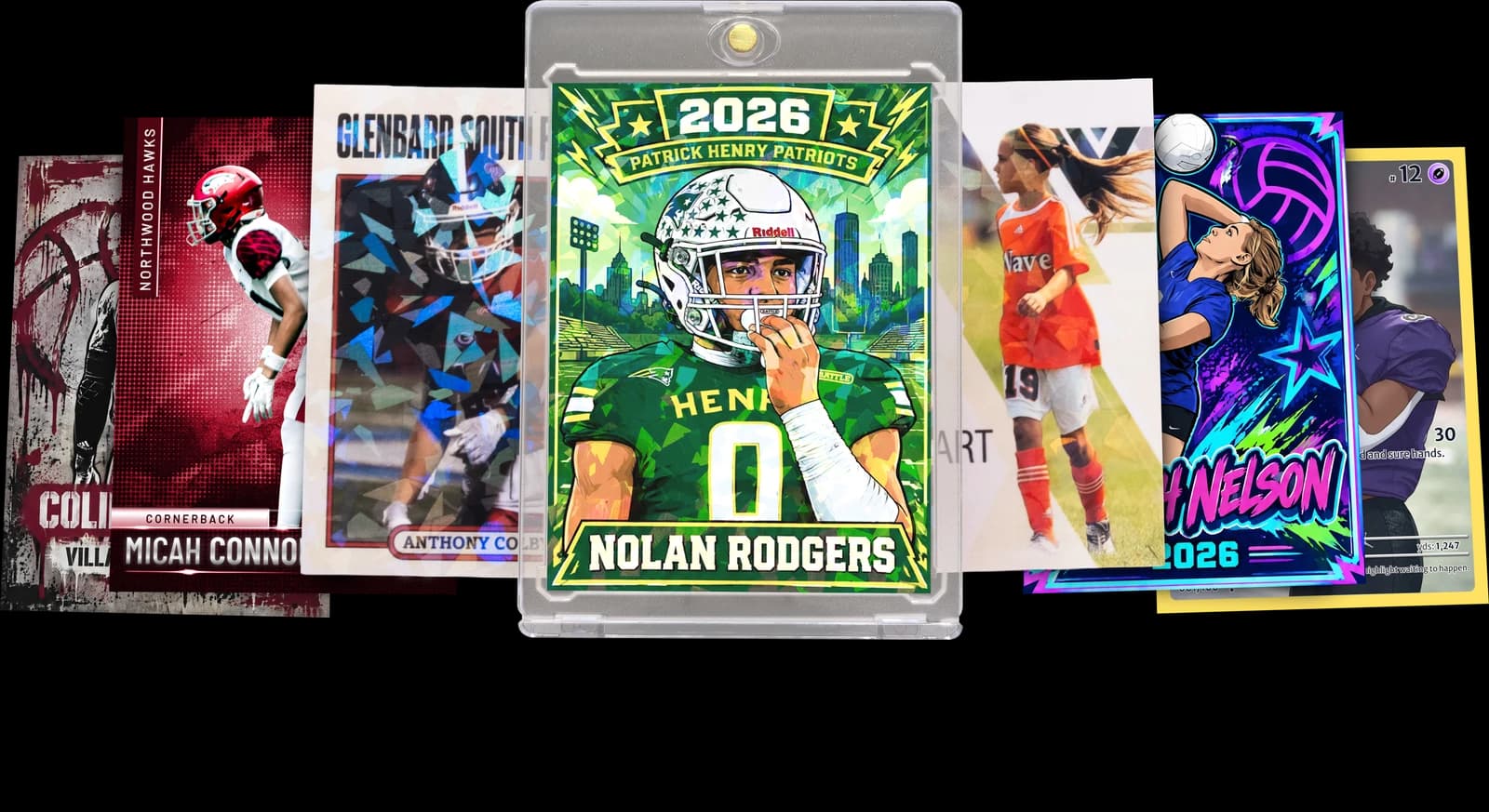
Upload your own artwork or photo, choose an available template, and preview your design before ordering a printed card.
If you've searched for how to print playing cards at home, you've probably hit a wall of conflicting advice — cardstock weight debates, lamination hacks, and DIY cutting templates that never quite line up. Home printers weren't built for the precision a real card needs. Ink smears, edges fray, and cards that feel sturdy on day one turn soft and curled after a few shuffles. That's frustrating when you're trying to make something meaningful, like a custom deck for a family game night or a personalized set as a gift.
Here's the honest breakdown: some DIY methods work fine for casual, low-stakes projects, while others are myths that waste your ink and paper. This guide separates what's actually true about home printing from what's overhyped, and shows you where a professional print service — like Snapshot's custom card process — solves the durability problem instantly, shipping premium cards in 2-3 days.
Let's go through the biggest myths people believe about home card printing, one at a time.
We ship custom cards to homes in all 50 states every week, and we've heard every home-printing horror story in the book.
Frequently Asked Questions
Can you actually print playing cards at home and have them turn out well?
You can print playing cards at home, but 'well' depends heavily on your standards and your printer. A standard inkjet can produce readable, usable cards for casual games, but the finish rarely matches store-bought quality. Ink tends to bleed on thicker cardstock, and colors often shift from what you see on screen. Cutting them evenly by hand is another challenge — even with a paper cutter, you'll likely get slight size variations across a full deck. If you're making a prototype or a one-time joke gift, home printing is perfectly fine. But if you want something that holds up to regular shuffling, feels sturdy in hand, and looks close to professional quality, home printing usually falls short. That's the tradeoff nobody mentions in the quick tutorials — it's fast and cheap, but the durability and finish are noticeably different from a professionally printed card.
What's the best paper or cardstock for home-printed playing cards?
Most guides recommend 65-110 lb cardstock for home printing, but the right answer depends on your printer's feed mechanism. Thicker stock can jam inkjet printers not designed to handle it, while thinner stock feels floppy and unconvincing as a playing card. You'll also want to test a single sheet before committing to a full batch, since some printers handle heavier stock inconsistently across the page. Many people laminate afterward to add rigidity, but that introduces its own problems — bubbling, uneven edges, and a slippery texture that doesn't shuffle naturally. If you're using specialty printable cardstock sold for card games, results improve slightly, but you're still limited by your printer's color accuracy and cutting precision. This is one of the biggest gaps between home printing and professional card stock, which is engineered specifically for texture, thickness, and durability in ways home paper simply isn't.
Do I need special software to design custom playing cards?
You don't need professional design software, but you do need something that handles precise measurements and bleed margins. Free tools like Canva work well for most people, offering pre-sized templates for standard poker and bridge card dimensions. If you're designing a full 52-card deck, though, expect to spend real time laying out each card individually unless you find a template built for batch printing. Photoshop or Illustrator give more control over color calibration and image quality, which matters if you're working with photos rather than simple graphics. One thing people often miss is designing for bleed — extending your background slightly past the cut line so you don't end up with white edges after trimming. Skipping this step is one of the most common reasons home-printed cards look unfinished, regardless of how nice the design itself looks on screen.
How do I cut printed cards to a uniform size at home?
The most reliable home method is a rotary paper trimmer with a grid, since it lets you line up each cut against a fixed measurement. Scissors are the least accurate option and almost guarantee visible size inconsistencies across your deck. Some people use a paper cutter combined with a printed cutting template to keep every card the same 2.5 by 3.5 inch standard. Even with careful measuring, though, small human error tends to creep in after cutting more than a dozen cards by hand. That inconsistency becomes obvious once you try shuffling the deck — cards that are even slightly different sizes catch on each other. This is one of the clearest gaps between DIY printing and professional production, where cards are cut by machine to identical dimensions every single time, batch after batch, without drift.
Can home-printed cards be laminated to make them more durable?
Lamination does add some stiffness, but it introduces new problems that often outweigh the benefit. Pouch laminators can trap air bubbles, especially near the edges, and the finished card develops a slick, plasticky feel that doesn't shuffle the way a real playing card does. Trimming laminate too close to the edge risks peeling over time, while leaving too much border makes the card feel oversized and clunky. Some people use laminate sheets instead of pouches for a thinner finish, but consistency across a full deck is hard to maintain by hand. Heat-based laminators can also warp thinner cardstock if the temperature isn't dialed in correctly. It's a reasonable fix for casual, short-term use, but it's not a substitute for genuine card stock manufactured with durability in mind. If you want something that holds up over months of regular use, lamination is a patch, not a real solution.
Why do professionally printed cards feel so different from home-printed ones?
The difference comes down to the material and the printing process itself, not just the design. Professional card stock is manufactured specifically for handling — repeated shuffling, bending, and stacking — in ways standard home printer paper simply isn't built for. The printing process also uses color calibration systems that home inkjets and lasers don't have access to, which is why photos and detailed graphics look noticeably sharper and truer to color. Cutting is done by precision equipment, so every card in a set matches exactly in size and edge quality. There's also a tactile difference — professional cards have a specific weight and snap to them when you bend or shuffle them that laminated home prints can't replicate. Once people compare the two side by side, the gap becomes obvious almost immediately, which is why so many DIY projects eventually move toward professional printing for anything meant to last.
How long does it take to print a full deck of custom cards at home?
Realistically, expect several hours for a full 52-card deck once you account for design, printing, drying time, cutting, and optional lamination. Designing each card individually takes the longest, especially if you're incorporating photos that need cropping and color adjustment. Printing itself might only take twenty or thirty minutes, but you'll often need multiple attempts to get color and alignment right. Cutting each card by hand adds significant time too, especially if you're aiming for consistent sizing across the whole deck. Lamination, if you choose to add it, requires letting sheets cool and trimming excess plastic without damaging the edges. All together, a careful DIY project can easily eat up an entire afternoon or evening. Compare that to ordering a professional deck, which ships in 2-3 days with none of the manual labor, and the time tradeoff becomes a real factor in deciding which route makes sense for your project.
Are printable playing card templates actually accurate in size?
Most templates are accurate on paper, but accuracy in the file doesn't guarantee accuracy in the final product. A template built to 2.5 by 3.5 inches will print correctly at that size only if your printer settings are configured to print at 100% scale, without automatic fit-to-page adjustments that shrink or stretch the image. This is a common mistake — many home printers default to scaling documents down slightly, which throws off your intended dimensions without any obvious warning. You'll want to measure a test print with a ruler before committing to a full batch. Even with a correctly scaled template, cutting introduces its own margin of error, since hand-cutting rarely matches machine precision. So while the template itself might be perfectly accurate, the combination of printer settings and manual cutting means your final cards may still vary slightly from the intended size.
What's the cheapest way to make custom playing cards at home?
The cheapest approach uses whatever cardstock and printer you already own, skipping lamination entirely and hand-cutting with scissors or a basic paper cutter. This works fine for extremely casual use, like a single game night or a joke gift that won't get much handling. The tradeoff is durability and appearance — these cards will show wear quickly and won't have a professional finish. Adding lamination increases cost slightly through pouches or sheets, plus the laminator itself if you don't already own one. Buying dedicated printable cardstock also adds expense but improves the final texture somewhat. When you add up ink, cardstock, laminate, and the time invested, the true cost of a nice-looking DIY deck often creeps closer to professional pricing than people expect, especially once you factor in wasted attempts and reprints from color or alignment mistakes.
Can I print photo-based custom cards at home, like a personalized gift deck?
You can, but photo-based designs expose the biggest weaknesses in home printing pretty quickly. Skin tones often shift toward orange or gray depending on your printer's color calibration, and fine details in a photo can blur or pixelate if the image resolution wasn't high enough to begin with. Glossy photo paper improves appearance but doesn't have the rigidity of real cardstock, so you're stuck choosing between good color and good durability. This is exactly the situation where a lot of people start searching for alternatives, because a personalized gift deck is meant to be kept and handled, not treated as disposable. A professional service designed specifically for photo-based cards handles color correction and stock thickness together, which is difficult to replicate with a home setup no matter how good your printer is rated to be.
How does Snapshot's process compare to printing playing cards at home?
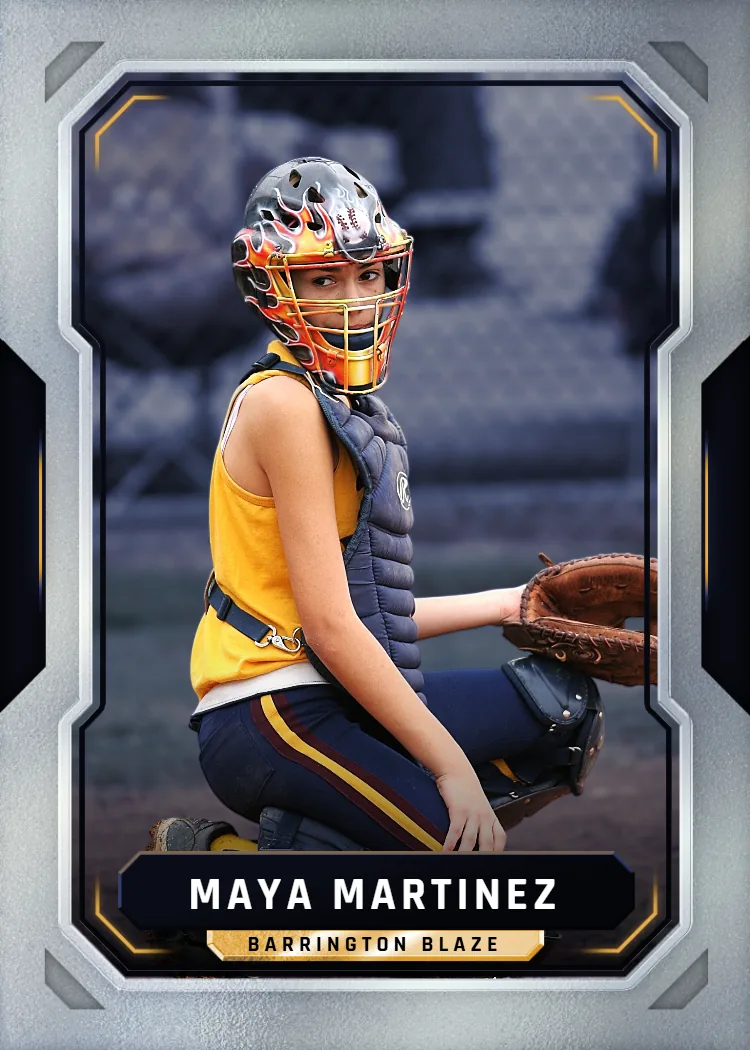
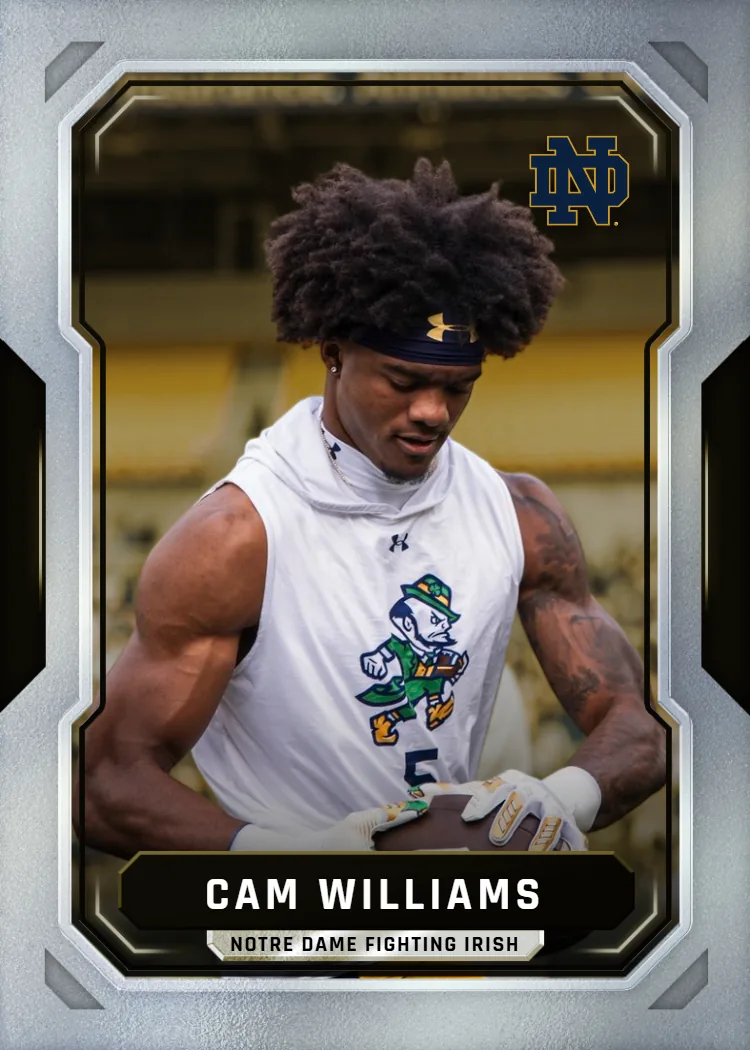
Snapshot handles the entire process that trips people up at home — color calibration, precise cutting, and professional card stock — without you touching a printer or paper cutter. You upload a photo, choose from pro sports-card templates, and the finished cards ship in 2-3 days with a free magnetic case included. There's no trial-and-error with ink bleeding or lamination bubbles, and every card in your order matches exactly in size and finish. Pricing starts at $17.99 for a single card and goes up to $49.99 for a full pack, with free shipping over $30 across the U.S. It's built in Des Moines, Iowa, and designed specifically for people who want a keepsake-quality card rather than a DIY project. For personal gifts, custom decks, or collectible-style cards, it removes every failure point that comes with printing at home while still starting from something personal, like your own photo.
Will home-printed cards work in an automatic card shuffler?
Probably not reliably. Automatic shufflers are calibrated for the thickness and rigidity of standard playing cards, and home-printed cards — especially laminated ones — often vary just enough in thickness or edge smoothness to jam the mechanism. Lamination in particular creates uneven edges that can catch on shuffler rollers, and inconsistent cutting means some cards may be fractionally larger than others. If you're planning to use a deck in any kind of mechanical shuffler, that's a strong argument for professional printing, where card dimensions and stock thickness are consistent across the entire set. For hand-shuffling, home-printed cards are more forgiving, though even then, people notice a difference in how smoothly the deck moves compared to a manufactured one. If mechanical compatibility matters for your use case, it's worth factoring that into your decision from the start rather than discovering the problem after your cards are already cut.
Free to design, instant preview. Free US standard shipping on orders $30+. Review delivery options at checkout.
How Do You Print Playing Cards at Home, Step by Step?
Here's the realistic process, without the sales pitch — three stages, each with its own failure points.
Design and Template Setup
You'll need a template sized to standard poker or bridge dimensions, usually 2.5 by 3.5 inches, built in a design program like Canva or Photoshop. Bleed margins matter here — miss them and your border gets cut crooked. Most people underestimate how much time this step takes, especially if they're designing a full 52-card deck instead of a handful of custom pieces.
Printing on Cardstock
You'll print each design onto sheets of cardstock, usually 4-9 cards per page depending on layout. Home inkjets often bleed on cardstock thicker than standard paper, and laser printers can crack toner along fold lines. Color accuracy also shifts between printers, so a photo that looks sharp on-screen might come out muddy or oversaturated on the page.
Cutting, Laminating, and Assembly
This is where most home projects fall apart — literally. Cutting by hand rarely produces straight, uniform edges, and laminate pouches trap air bubbles or shift during sealing. Cards end up slightly different sizes, which throws off shuffling and stacking. It's doable for a one-off novelty project, but it's not the finish you want for something you plan to keep or gift.
Each step is manageable alone, but stacked together, they add hours and inconsistent results.
What Do You Actually Gain from Home Printing vs Professional Printing?
Home printing wins on immediacy; professional printing wins on nearly everything else. Here's where each approach earns its keep.
Speed for Same-Day Needs
If you need a card in the next hour for a quick game or joke gift, home printing is genuinely faster. There's no shipping wait, no order minimum. It's the right call for truly disposable, low-stakes projects.
Durability You Can Trust
Professional card stock is calibrated for repeated handling — shuffling, dealing, storing. Home-laminated cards often peel or bubble within weeks. If you want a deck that lasts years, not months, professional printing is the only realistic path.
Color and Photo Accuracy
Home printers struggle with consistent color calibration, especially on photo-heavy designs. Professional printing uses color-corrected processes so skin tones, backgrounds, and details come through the way you actually intended them to look.
Consistent Sizing and Feel
Every card in a professionally printed set matches in size, thickness, and finish. That uniformity matters more than people expect — it's the difference between a deck that shuffles cleanly and one that catches and jams.
Who Actually Needs to Print Playing Cards at Home?
Not every project calls for the same solution. Here's how the use case usually determines which method makes sense.
Quick Party Games and Prototypes
If you're testing a homemade card game idea before committing to a full print run, home printing is a smart first step. You can iterate fast, tweak wording, and throw away a bad draft without wasting money. It's a prototyping tool, not a final product, and that's exactly how most designers use it.
Personalized Gifts and Keepsakes
When someone wants a custom deck featuring family photos, a retiring coach, or a milestone birthday, home printing usually disappoints. The cards feel flimsy, colors look off, and the recipient notices. This is where a professional service pays off — the final product actually feels like something worth keeping in a case.
Collectible-Style Cards for Hobbies
Trading card enthusiasts, fantasy sports players, and hobbyists often want cards that mimic the pro look and feel — sharp corners, sturdy stock, a clean finish. Home printers can't replicate that texture no matter how good the template is. A dedicated print process built for card stock is really the only way to get that authentic feel.
Is Professional Card Printing Actually Worth It?
Custom card orders have grown steadily as more people look for a faster, sturdier alternative to DIY printing at home. The most common feedback we hear centers on how different the final product feels compared to laminated home prints — thicker, cleaner-cut, and closer to what you'd pull from a real pack.
That difference is exactly why so many personal projects, from gag gifts to keepsake decks, move away from home printing once people see a professional card in hand.
How Much Does It Cost to Print Playing Cards at Home vs Order Them Professionally?
Home printing costs less per card upfront but adds hidden expenses — ink, cardstock, laminate sheets, and wasted attempts. Professional pricing is transparent and predictable from the start.
Rookie Box pricing ranges from $17.99 for a single card up to $49.99 for a full pack, with the MEGA 11"x15" poster card also priced at $49.99. Free US standard shipping on orders $30+.
You pay once for a finished product — no repeat print jobs, no ruined cardstock, no lamination guesswork. Just premium cards shipped in 2-3 days.
Box Options
Simple, collectible pricing. No subscriptions, no hidden fees.
The Rookie Box
Perfect for those unforgettable moments
$17.99 - $49.99
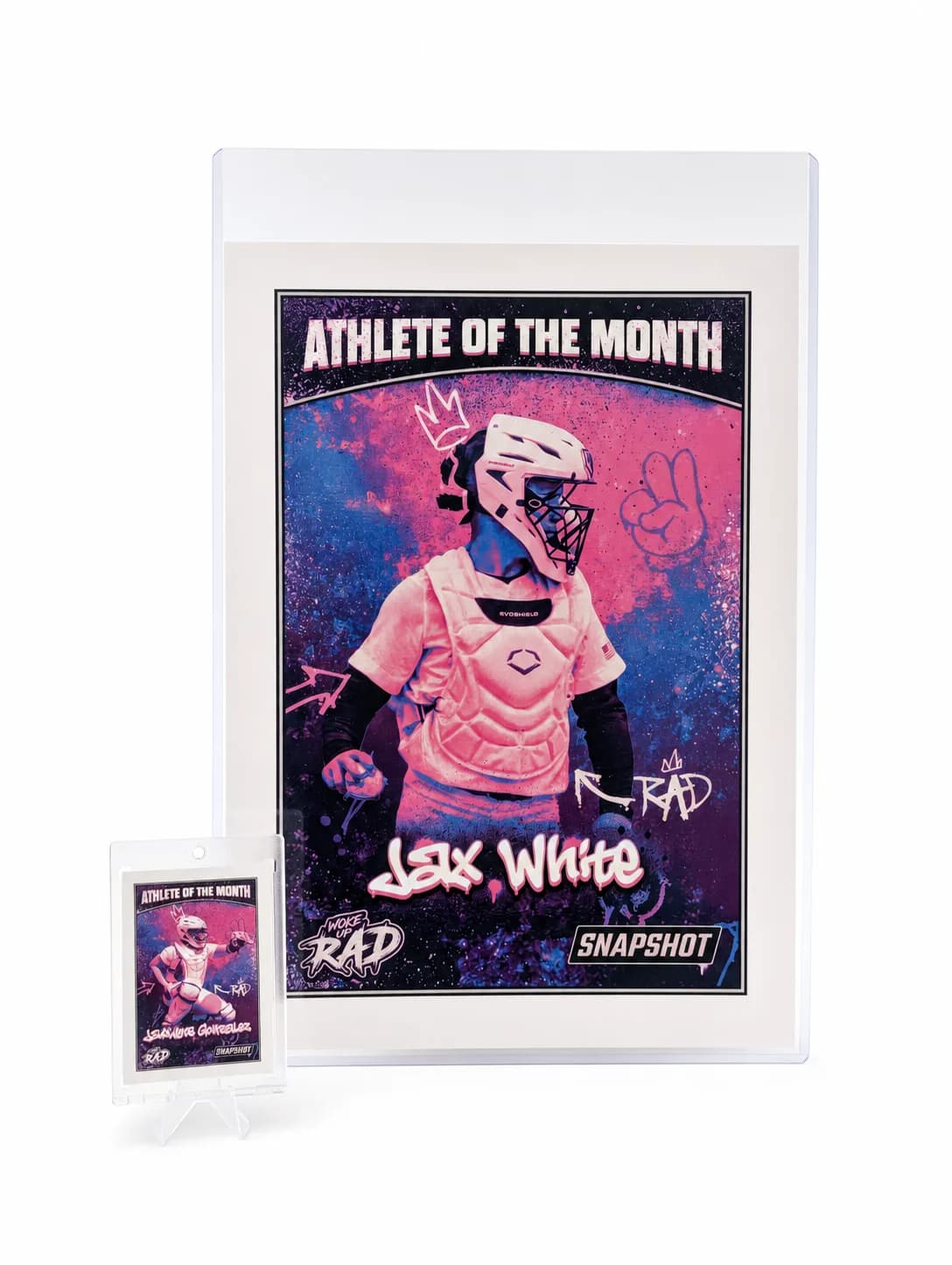
MEGA Card
Their moment, bigger than ever
$49.99
Create for free • Ships the next business day • Made in Des Moines, IA, USA




Skip the Guesswork — Print Playing Cards at Home the Easier Way
If the DIY route feels like more trouble than it's worth, upload a photo and let Snapshot handle the printing, cutting, and cardstock. Premium cards ship in 2-3 days with a free magnetic case, no ink or lamination required.
Create Your Cards NowNo credit card required | Instant preview | Pro-quality designs
Explore More Card Options
Discover more custom trading card options for every sport and occasion
custom playing cards
View card options →
custom deck of cards
View card options →
personalized playing cards
View card options →
custom poker cards
View card options →
poker card templates free
View card options →
promotional deck of cards
View card options →