
YGO Card Maker Myths vs Facts: What You're Actually Getting
Every ygo card maker search turns up a dozen apps promising instant duel-ready cards. Most deliver a flimsy PNG.
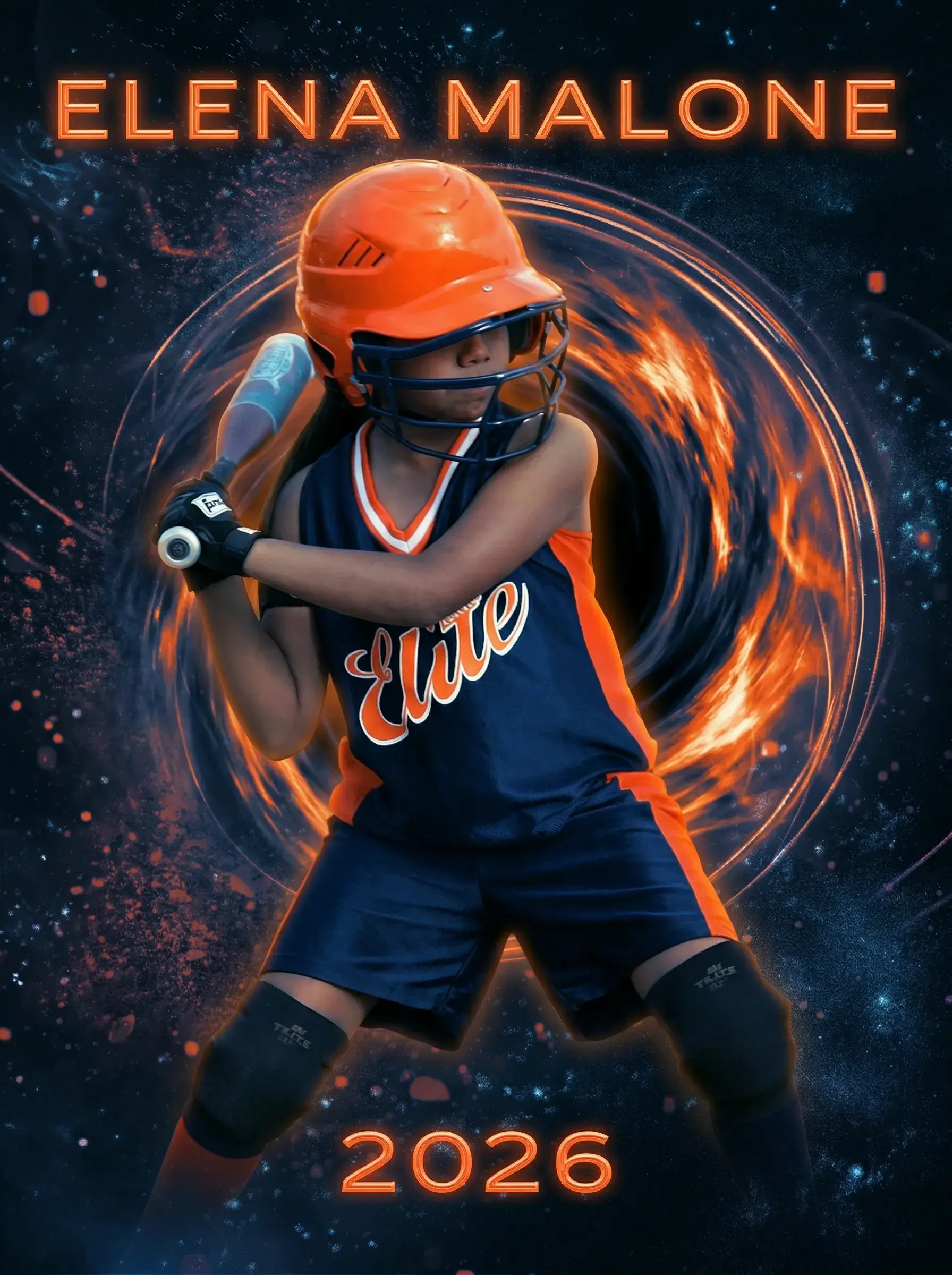
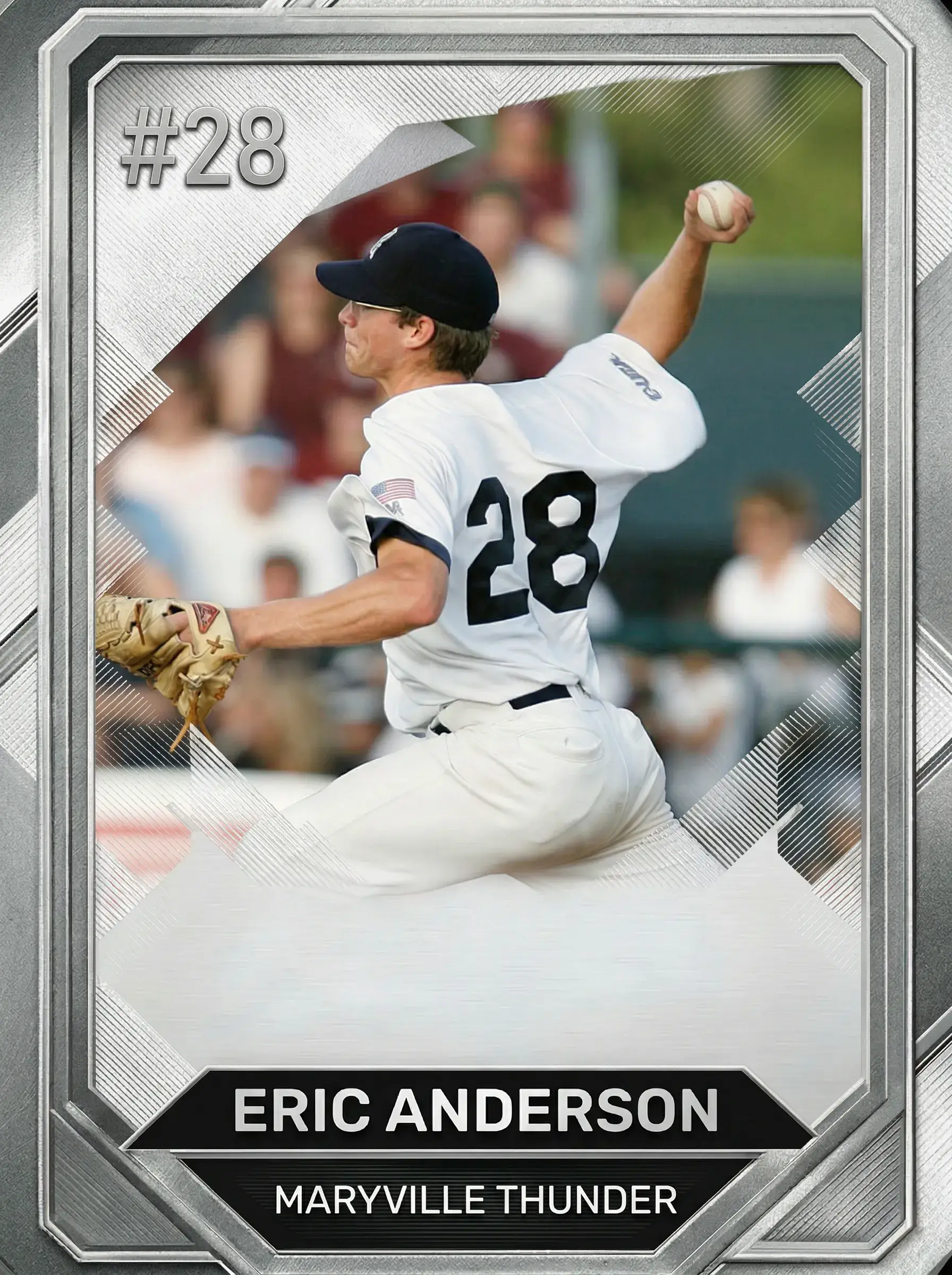
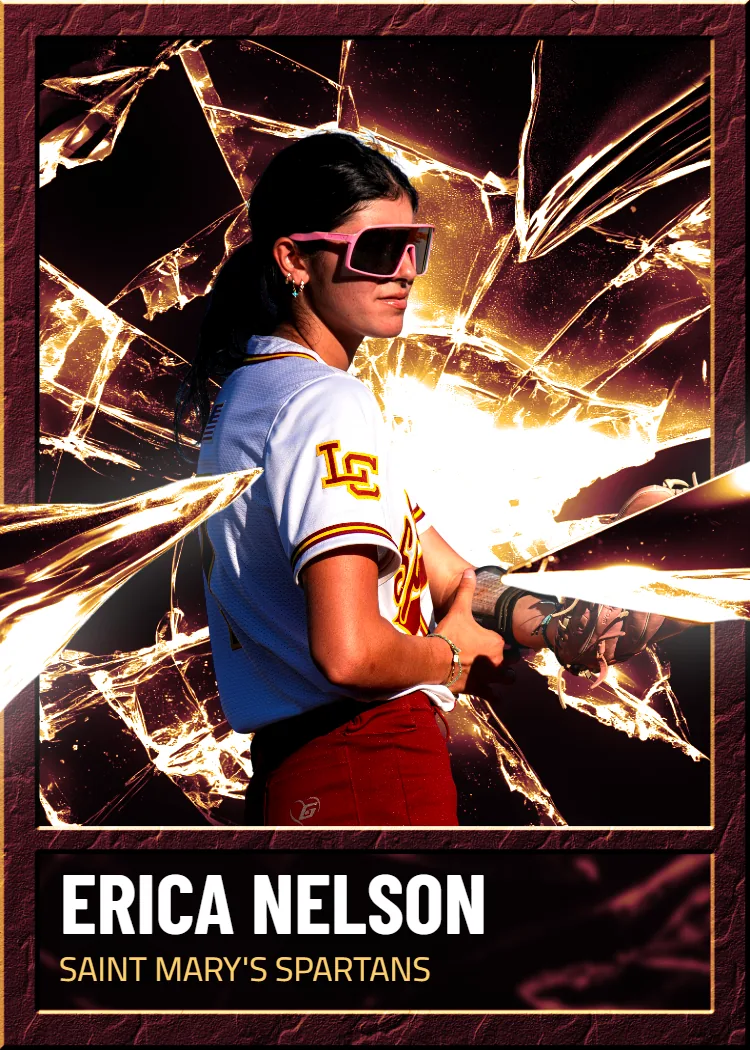
Upload a photo of your player, pet or team, choose an available template, and preview your design before ordering a printed card.
Here's the problem: a lot of what shows up when you search ygo card maker is built for screen previews, not real printing. You get a template, you drop in a photo, and you're stuck exporting a low-res image you can't actually hold. Some tools charge a subscription just to remove a watermark. Others cap you at a handful of free downloads and then paywall the good templates. If you're trying to make a keepsake card — for yourself, a kid, a collector friend — a screen mockup isn't the finish line. You want something that shows up in a mailbox.
Snapshot approaches this differently. Production takes one business day; shipping time is quoted at checkout for your address. No watermark tricks, no subscription. A single card runs $17.99, packs go up to $49.99, and every order includes a free magnetic case with free shipping over $30 anywhere in the USA.
Let's separate the myths from what actually happens once you hit print.
We ship custom cards to customers in all 50 states every week, from single keepsakes to full packs.
Frequently Asked Questions
Is a free ygo card maker the same as what Snapshot offers?
Not really, and the difference shows up the moment you try to hold the result. Most free card makers are built for on-screen previews or social media sharing — they export a JPEG or PNG that looks fine on a phone but falls apart when you try to print it at home. They're also usually gated: you get a watermark unless you pay, or you're capped at a few free exports before hitting a paywall. Snapshot skips that model entirely. You design once, and what you approve is exactly what gets printed on professional card stock and shipped to you. There's no watermark negotiation and no monthly fee lurking behind the free tier. If your goal is a physical card you can actually hold, display, or gift, a browser-based mockup tool was never going to get you there anyway, no matter how polished the template looked on screen.
Can I upload any photo, or does it need to meet specific requirements?
You can upload pretty much any photo — a phone shot, an old scan, a screenshot, even a cropped image from somewhere else, as long as it's reasonably clear and not heavily pixelated. Higher resolution photos will always look sharper printed at full size, especially on something like the MEGA 11x15 poster card, but you don't need professional photography equipment to get a good result. Our templates handle a lot of the framing and cropping automatically once you select one, so you're not manually aligning every element yourself. If a photo is dark, blurry, or extremely low resolution to begin with, no template can fully fix that, so it's worth choosing your clearest available shot. When in doubt, a photo that looks good enlarged on your phone screen will usually translate fine to a printed card.
How long does it actually take to get my card?
Production takes 2-3 days from the time you approve your design, and that timeline holds whether you're ordering a single $17.99 card or a full pack up to $49.99. After production, shipping time depends on where you are in the country, but it's free across the entire USA regardless of order size. There's no separate 'rush fee' tier that dangles faster turnaround for more money — 2-3 days is the standard. Compare that to some custom print shops where a single custom order can take one to two weeks before it even ships, and the difference becomes obvious pretty quickly. If you're ordering for a specific date, like a birthday or a gift occasion, it's smart to order at least a week ahead just to build in a comfortable buffer for transit time.
What's the actual difference between a single card and a pack?
A single card is exactly what it sounds like — one printed card, one photo, one design, priced at $17.99. A pack lets you print multiple cards together as a set, priced up to $49.99 depending on how many you include, which makes it a better option if you're building something like a small personal series or want variations of the same photo with different templates. Packs are popular with people who want to compare a few design options side by side, or who are making cards for more than one person or moment at once. If you're not sure which to choose, think about whether this is a one-time keepsake or the start of a small collection — that usually answers the question pretty clearly, and you can always order a single card first to see the quality before committing to a full pack.
Do I need design software or experience to use this?
No design software is required at all — the whole process happens through template selection, not from-scratch design work. You upload your photo, choose a pro-style template, adjust text fields like names or titles if the template includes them, and preview the result before ordering. There's no layering, no font pairing decisions, no need to understand image resolution settings or color profiles. That's intentional: most people searching for a card maker don't want to learn design software, they want a finished-looking card without the learning curve. If you've ever used a basic photo filter app, you already have more than enough skill to complete the whole process in a few minutes from your phone or computer.
Will the printed card actually match what I see on my screen?
Yes, and this is one of the bigger gaps between Snapshot and free online card makers. A lot of browser-based tools show you a polished preview, but the actual print — if you can even print it — often looks noticeably different once you get a physical copy, especially in color accuracy. Because Snapshot handles both the design template and the physical printing in-house on premium card stock, what you approve on screen is calibrated to match the final printed product, not a generic export. That's part of why the process includes a preview step before your order goes to production: you're confirming the actual print, not just a rough digital sketch. If something looks off in the preview, you can adjust it before it ever reaches the print stage.
Is this only for trading card game fans, or can anyone use it?
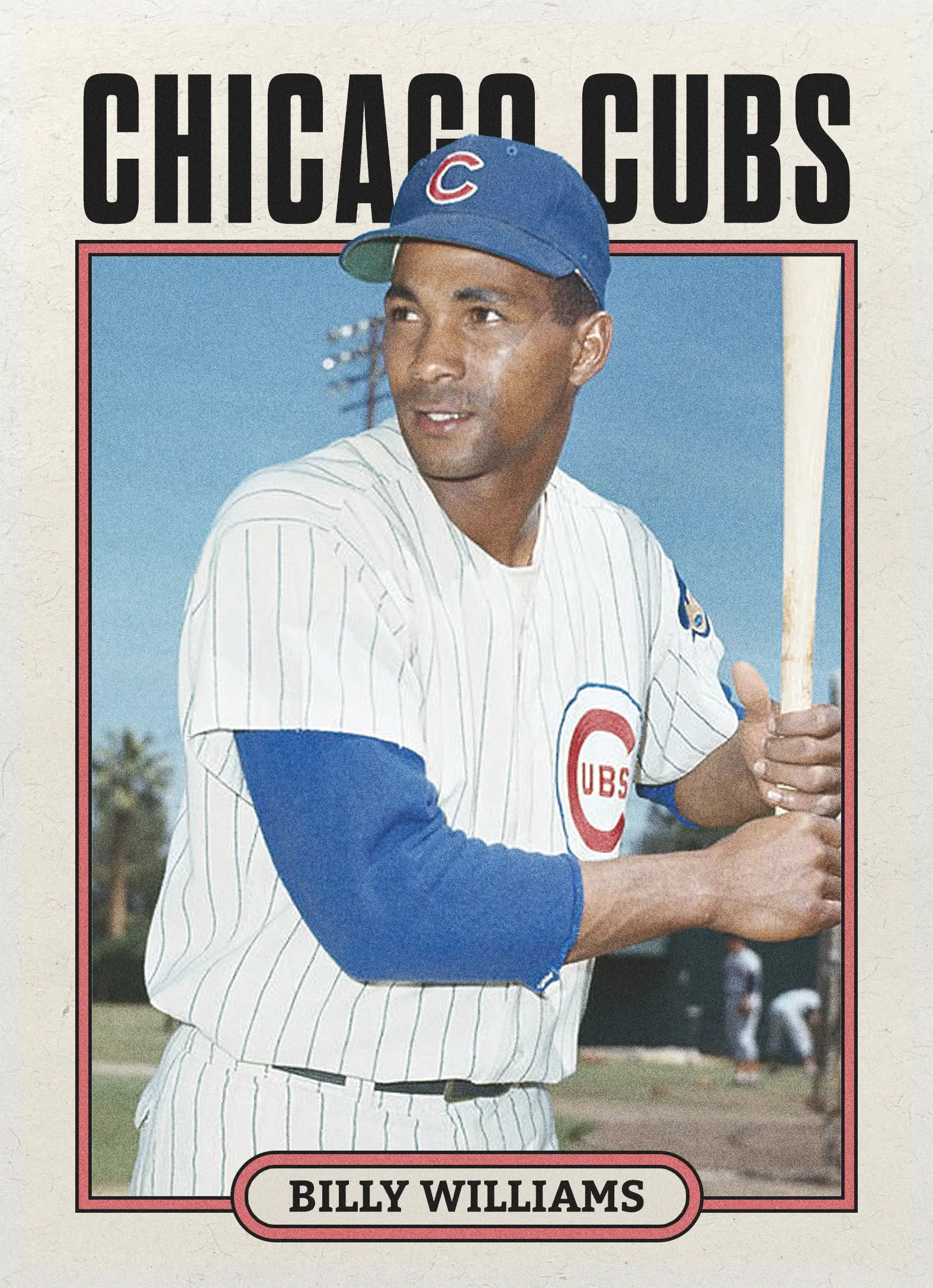
Anyone can use it — the templates are styled after pro trading card layouts, but the photos and content are entirely up to you. Plenty of orders have nothing to do with any specific card game at all; they're personal photos, pet pictures, family moments, or just a fun experiment turning an everyday image into something that looks like a collectible. The template gives you the card game aesthetic — the borders, the stat-box feel, the polished layout — without requiring you to know or care about actual gameplay rules. If you just like how trading cards look and want that format applied to your own photo, that's a completely normal and common use case, no card game knowledge required.
What's the MEGA card, and is it worth the extra size?
The MEGA card is an 11 inch by 15 inch poster-sized version of your custom card, priced at $49.99, same as our largest standard pack. It's built for people who want a display piece rather than something pocket-sized — think a wall hang, a gift centerpiece, or a statement piece for a room rather than a wallet-sized keepsake. Because it's so much larger than a standard card, photo quality matters more here; a higher-resolution image will look noticeably sharper at that size than it would on a standard card. Whether it's worth it really depends on intended use — if you want something displayed prominently rather than tucked in a case, the MEGA format solves that in a way a standard-sized card simply can't.
Do I get a physical case, or do I need to buy one separately?
Every single order includes a free magnetic case — you don't need to add it separately or pay extra for protective packaging. That's true whether you order one $17.99 card or a full pack up to $49.99. The magnetic case snaps shut and holds the card securely, which matters if you're planning to display it, gift it, or just keep it from getting scuffed in a drawer. A lot of competing print-on-demand card services treat the case as an upsell you have to notice and click through at checkout; here it's just part of what ships. If you're ordering as a gift, that included case also means it arrives looking presentation-ready without you needing to source your own protective sleeve.
Can I order multiple different designs in one pack?
Yes, packs don't have to be the same photo repeated — you can typically mix different photos and templates within a single pack order, which is part of why packs are popular for building small personal series. For example, you could put together a pack featuring different moments, different people, or different template styles rather than five copies of the same design. This is especially useful if you're making cards as a gift set or documenting a handful of memories at once rather than just one. The pricing structure still caps at $49.99 for packs, so you're getting the flexibility of multiple unique designs without the cost scaling into custom-print-shop territory.
What if I'm not happy with how my card design turned out?
Because you preview your design before it goes to production, you have a chance to catch issues — cropping, text placement, color choice — before anything gets printed, which is the best way to avoid disappointment after the fact. Take that preview step seriously; zoom in, check that your photo isn't cropped awkwardly, and confirm any text fields are spelled correctly. If a photo looks slightly dark or low-contrast in the preview, it will generally look the same once printed, so it's worth swapping to a clearer image at that stage rather than hoping printing will correct it. Since production starts fairly quickly after approval, it's worth taking the extra minute to review carefully rather than rushing through the customization step.
How is this different from just printing a photo at a regular print shop?
A regular print shop gives you a rectangle of your photo, full stop — no borders, no stat layout, no card-style framing. What you're actually searching for with a card maker is the template design itself: the layout that makes a photo look like it belongs in a pack rather than a photo album. Snapshot combines both pieces — the trading-card-style template design and the physical printing — into one order, so you're not designing something in one app and then trying to get a separate print shop to output it correctly on the right stock. That combination is really the entire value of a dedicated card maker versus a generic photo printing service, and it's why the finished product looks and feels different from a standard photo print, even at a similar size.
Free to design, instant preview. Free US standard shipping on orders $30+. Review delivery options at checkout.
How Does a YGO Card Maker Actually Turn Into a Physical Card?
The process breaks into three steps, and the gap between digital preview and printed product is where most tools quietly fail.
Upload your photo
Start with any image — a phone photo, a scanned drawing, a screenshot from a game session. There's no minimum resolution requirement baked into some hidden algorithm; you just need a clear, reasonably sharp shot. Portrait orientation works best for standard card sizing, though our templates adjust crop and framing automatically once you select one, so you're not fighting with alignment tools.
Choose a template and customize
This is where card maker tools usually diverge hardest. Ours are built off real trading-card layouts, so borders, stat boxes, and title bars look like something from a pack you'd actually collect. You can adjust text, swap color schemes, and preview exactly how the card will look printed, not just how it looks in a browser window.
Print, ship, and hold it
Once you approve the design, it goes to production in Des Moines, Iowa. We print on premium card stock, package it in a free magnetic case, and ship within 2-3 days. That's the step most online card makers skip entirely — they hand you a file and call it done, when the whole point was to have a real card in your hands.
Three steps, no design software required, no waiting weeks for a print run.
What Do You Actually Get With a Premium YGO Card Maker Approach
The difference between a free app export and a printed Snapshot card comes down to four practical things.
Real card stock, not paper
Your card feels like something from a booster pack, not a home-printer job. Professional card stock holds color, resists bending, and doesn't feel cheap the moment you pick it up.
No recurring fees
You pay once, per card or pack. There's no monthly subscription lurking behind a 'free' card maker that suddenly wants $9.99 a month to remove a watermark or unlock templates.
A magnetic case included free
Every order ships with a magnetic case at no extra cost. That's display-ready protection, not an upsell you have to click through at checkout.
Fast turnaround, nationwide
2-3 day production plus free shipping over $30 across the USA means you're not waiting weeks for a custom print run. Order on a Monday, and you could have it by the weekend.
Who's Actually Using a Custom Card Maker Like This
People searching for a card maker usually fall into a few clear buckets, and the reasons rarely have anything to do with a screen.
Personal keepsakes and gifts
Someone wants to turn a favorite photo — a pet, a kid's drawing, a memorable moment — into a collectible-style card as a personal gift. It's not about competitive play; it's about the format. A trading card feels more permanent and more fun to hold than a printed 4x6 photo, and the templates give it a designed, finished look instead of a plain snapshot.
Collectors building a personal series
Some folks like designing a small run of custom cards around a theme — family members, milestones, inside jokes — and printing a pack of them together. Ordering a pack up to $49.99 lets them build a small set rather than a single one-off card, which changes the whole feel of the project.
One-off novelty cards for fun
Not every card needs a deep reason. Plenty of people just want to see what a photo looks like turned into card art, print one for $17.99, and see it show up in a magnetic case a few days later. It's a low-cost way to try the format without committing to a full set.
Does This Actually Work the Way It's Described
Every order ships from our Des Moines production facility with the same 2-3 day turnaround regardless of order size, from a single card to a full pack. Customers across all 50 states use the same templates and printing process, so the card you design online is the exact card that arrives — no separate 'preview quality' versus 'print quality' gap.
That consistency is the whole reason people search for a printed option instead of settling for a downloadable file.
What Does a YGO Card Maker Print Actually Cost
Pricing is flat and upfront, with no subscription tier hiding better templates behind a paywall.
Single card: $17.99. Packs: up to $49.99. MEGA 11"x15" poster card: $49.99. Free shipping over $30 across the USA on every order.
One price, no recurring charges, and a free magnetic case included — you know the total cost before you upload a single photo.
Box Options
Simple, collectible pricing. No subscriptions, no hidden fees.
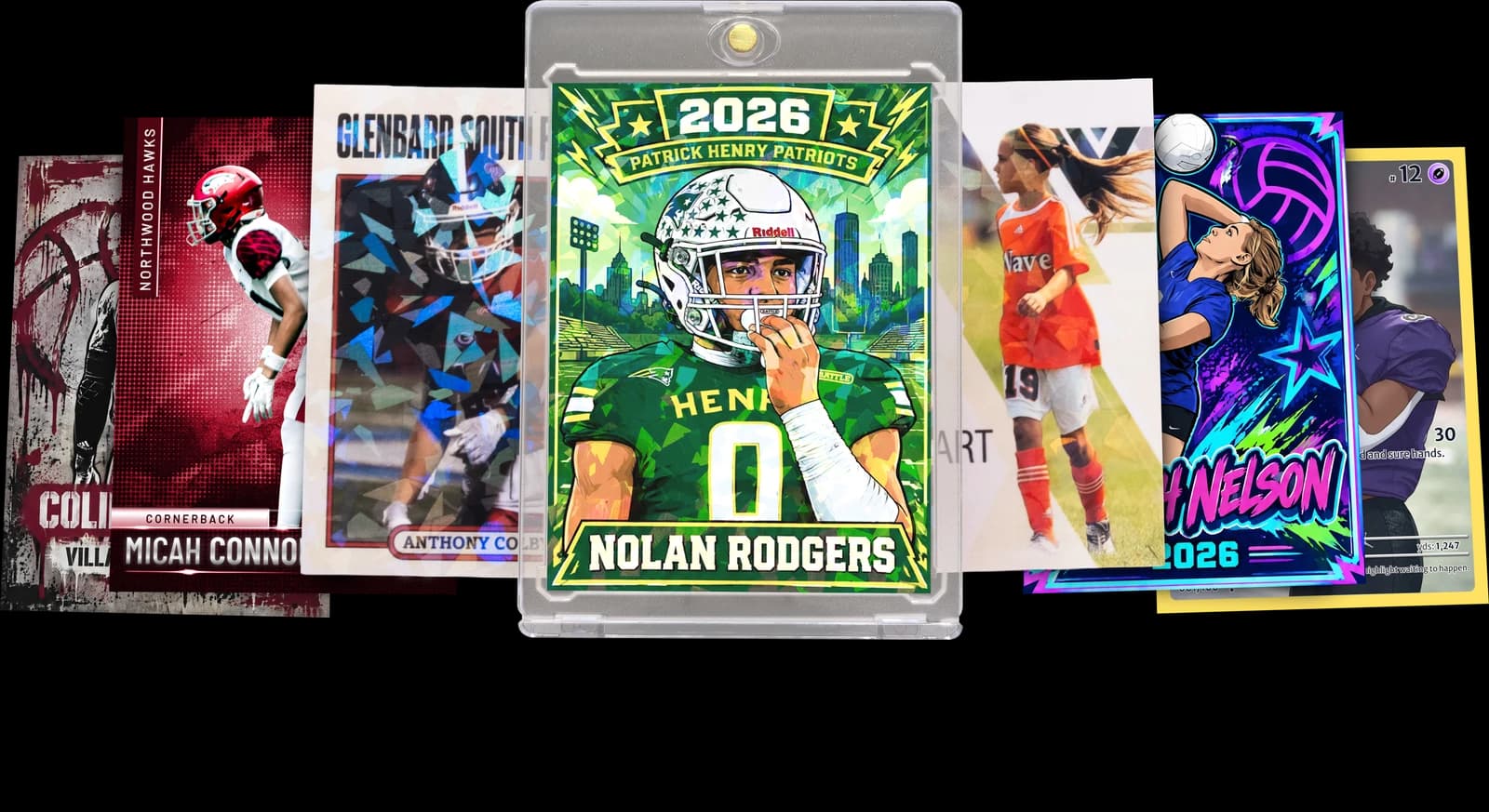
The Rookie Box
Perfect for those unforgettable moments
$17.99 - $49.99
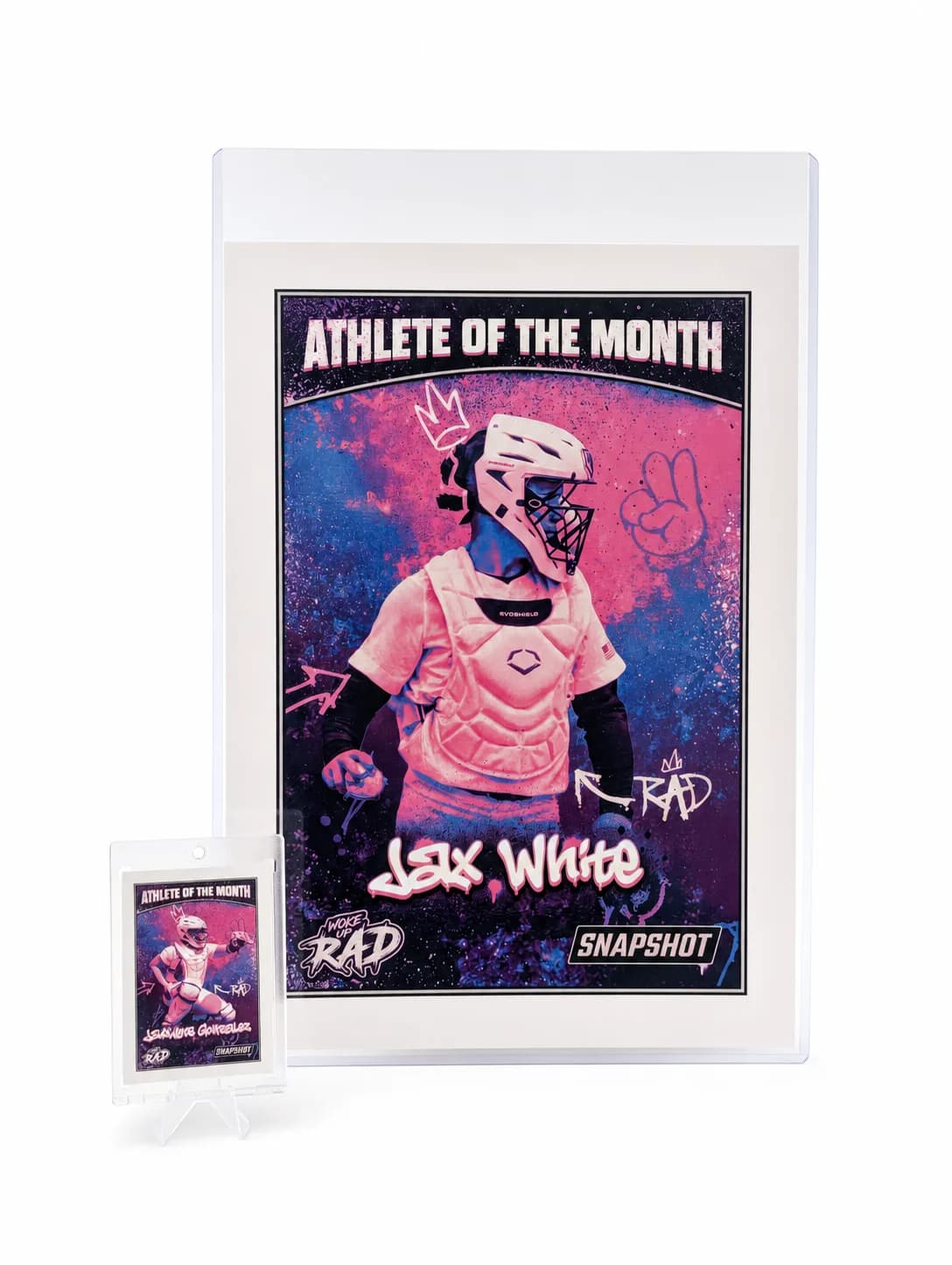
MEGA Card
Their moment, bigger than ever
$49.99
Create for free • Ships the next business day • Made in Des Moines, IA, USA
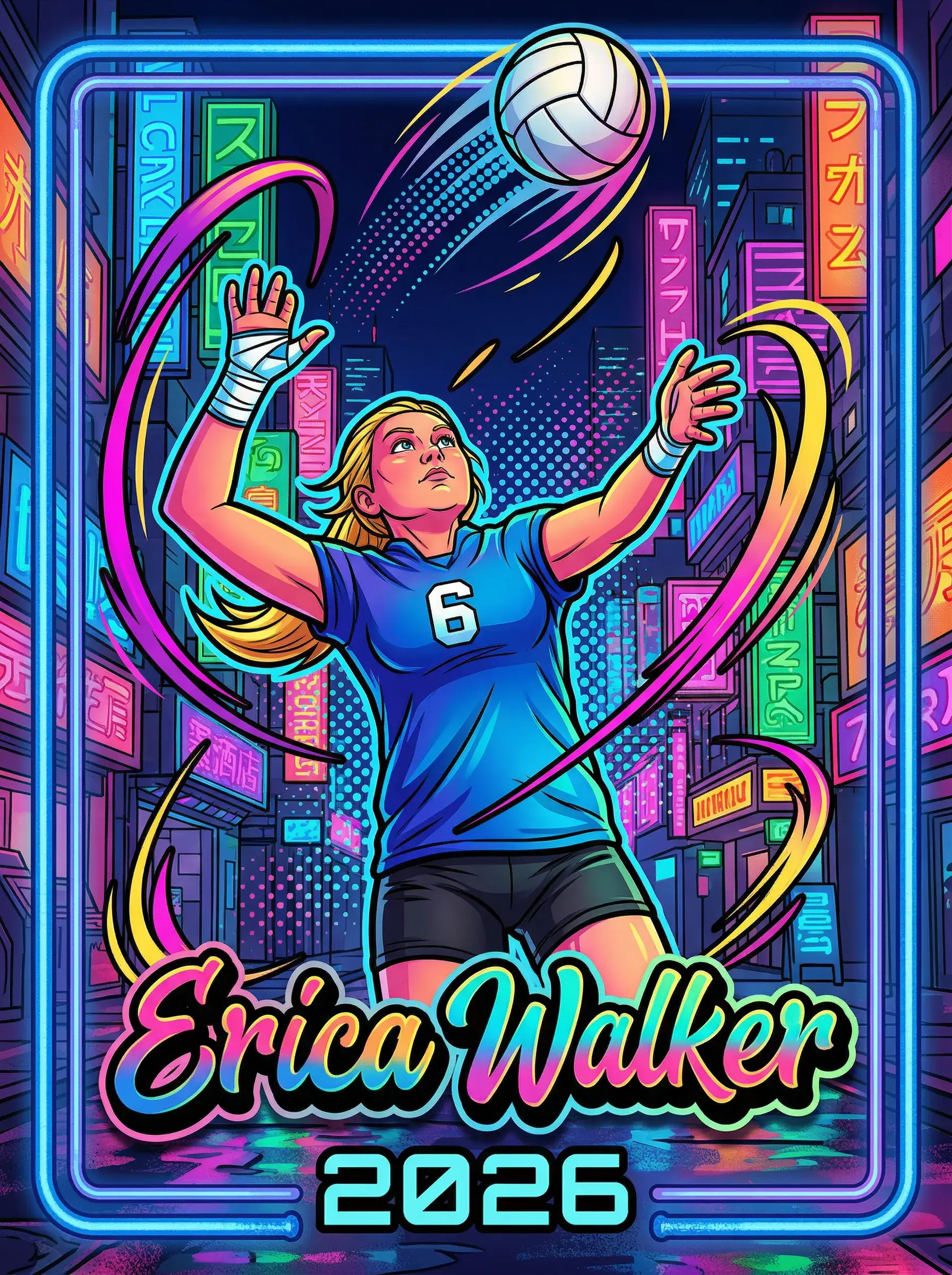
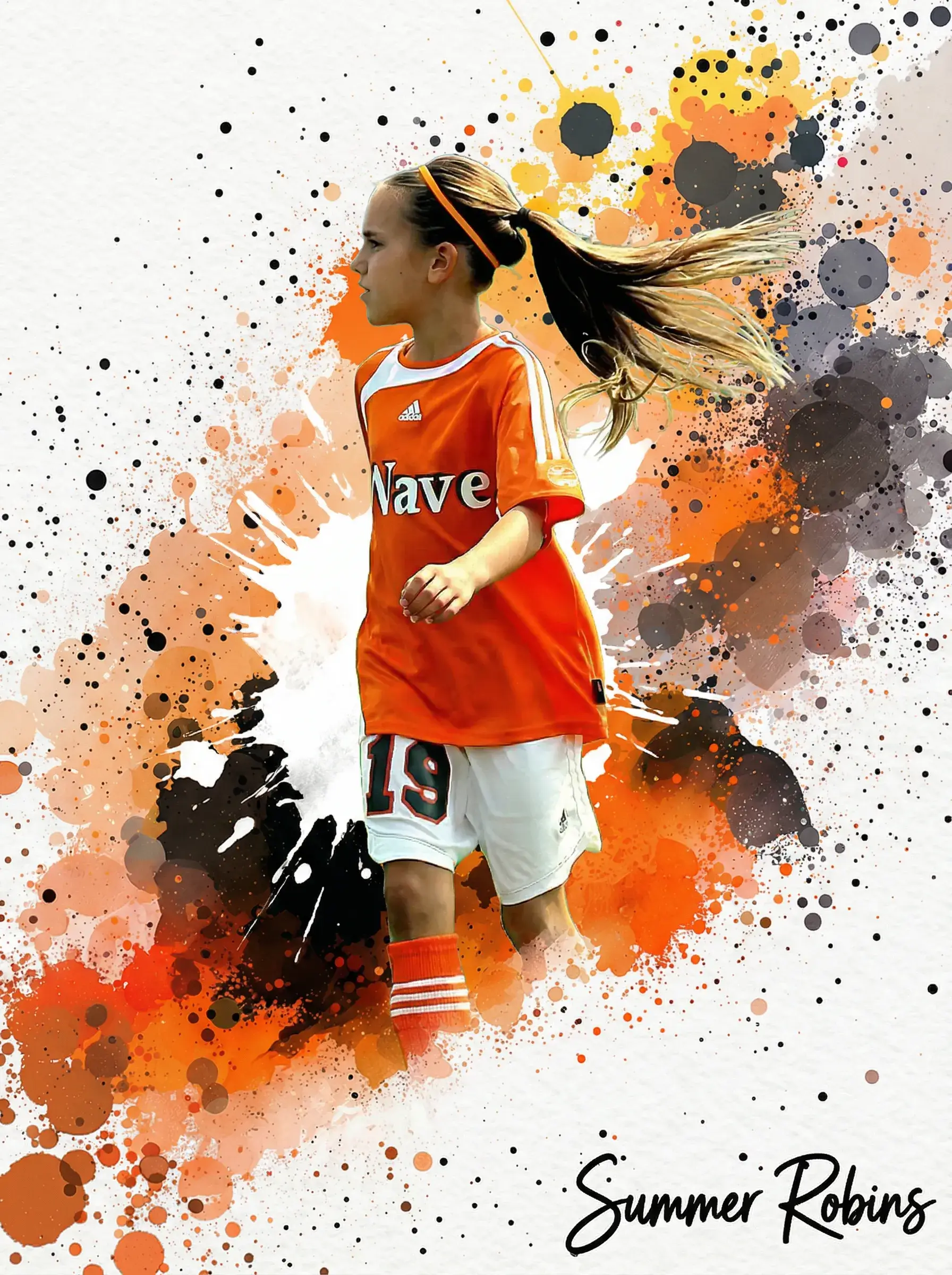
Ready to Try a YGO Card Maker That Actually Prints?
Upload your photo, pick a template, and get a real printed card in 2-3 days with a free magnetic case included. Single cards start at $17.99, with free shipping over $30 across the USA.
Start Your Card NowNo credit card required | Instant preview | Pro-quality designs
Explore More Card Options
Discover more custom trading card options for every sport and occasion