Create Trading Cards: Design & Proofing
Updated
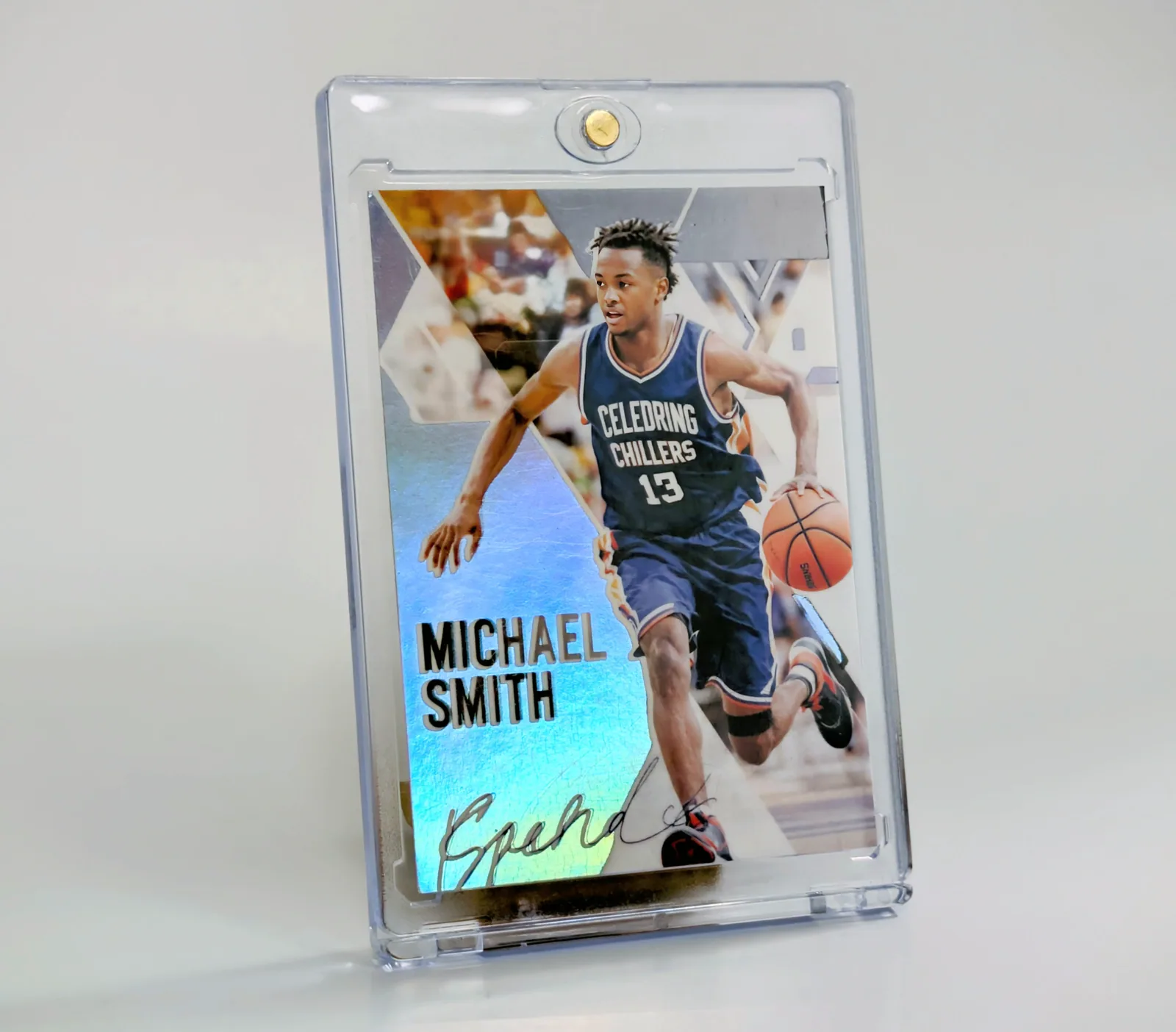
A professional-looking trading card needs a clear subject, readable information and a design that still works at its printed size. Start by deciding what the reader should notice first: usually the player photo and name. Decorative effects should support that order.
Build a clear reading order
Use the largest text for the name or main title. Group team, position and season as supporting information. Keep statistics together instead of distributing individual numbers around the photograph. When every element is large, bold or brightly colored, none of them stands out.
Try this proofing test: look away from the design, then glance back for two seconds. If you cannot identify the player and the card's purpose, remove a competing badge, shorten the title or choose a simpler template.
Match the layout to the photograph
A portrait leaves room for a nameplate in different places than a running or swinging pose. Choose a template after looking at the image rather than forcing the image into a favorite frame. Watch the edges of the face, hands, equipment and jersey number as you move the crop.
Check bright and dark areas behind text. A name may look readable over grass but disappear over a white uniform. Move the crop or use an available text treatment that separates the letters from the photograph.
Use the back to add meaning
A short season summary can be more useful than a crowded table. For example, a youth player card might list the season, position and one skill the player practiced. A team keepsake can include a shared milestone. Label any playful statistics as playful; do not present invented performance figures as official records.
Check size and output before a full run
Inspect a preview close to the intended physical size. Screen zoom can hide the fact that a caption will be tiny in print. If you are preparing files for another printer, request that printer's actual trim, bleed and safe-area specification. Do not assume a generic online template matches every supplier.
When using Snapshot's builder, work inside the chosen template and inspect the preview on both sides. Finishes and upgrades are product choices shown in the builder; this guide does not promise a paper weight, a color-proof match or a finish that is not offered for your selection.
A reusable design-review checklist
- The photograph is the intended player and remains clear at the chosen crop.
- The name is readable before any decorative heading.
- Team, position, number and season match the approved source.
- Small text is readable at the approximate printed size.
- Nothing important is hidden by the frame.
- The front and back belong to the same player.
Use the complete order workflow when the design is ready. For projects with different players, follow the roster and approval process; the same checks apply across sports.
Written by the Snapshot team, which makes and sells custom printed cards. Product examples show our own range; check current options and delivery estimates before ordering. About Snapshot · Questions or corrections
Tags
Related Articles
Custom Trading Cards: Design & Print Planning
A custom trading card transforms any person, character, or concept into a professional-quality collectible card. Whether you're creating sports cards for athletes, promotional materials for businesses, or unique memorabilia for special events, this complete guide covers everything you need to know about designing and printing custom trading cards in 2026.
Read More →Custom Sports Cards: Formats, Costs & Planning
A custom sports card puts your own player photo, name and season details into a trading-card design. Start with the intended use: one gift, different cards for a roster, or many copies of the same player card. Those are different orders, and choosing the right format matters more than choosing a finish first.
Read More →Ready to Create Your Custom Cards?
Choose a template, personalize your photo and details, then review your design before ordering.
Start Creating Now