
Pokemon Card Template: What's True and What's Not
Everyone searching for a pokemon card template assumes it's just about downloading a font and calling it done. It's not.
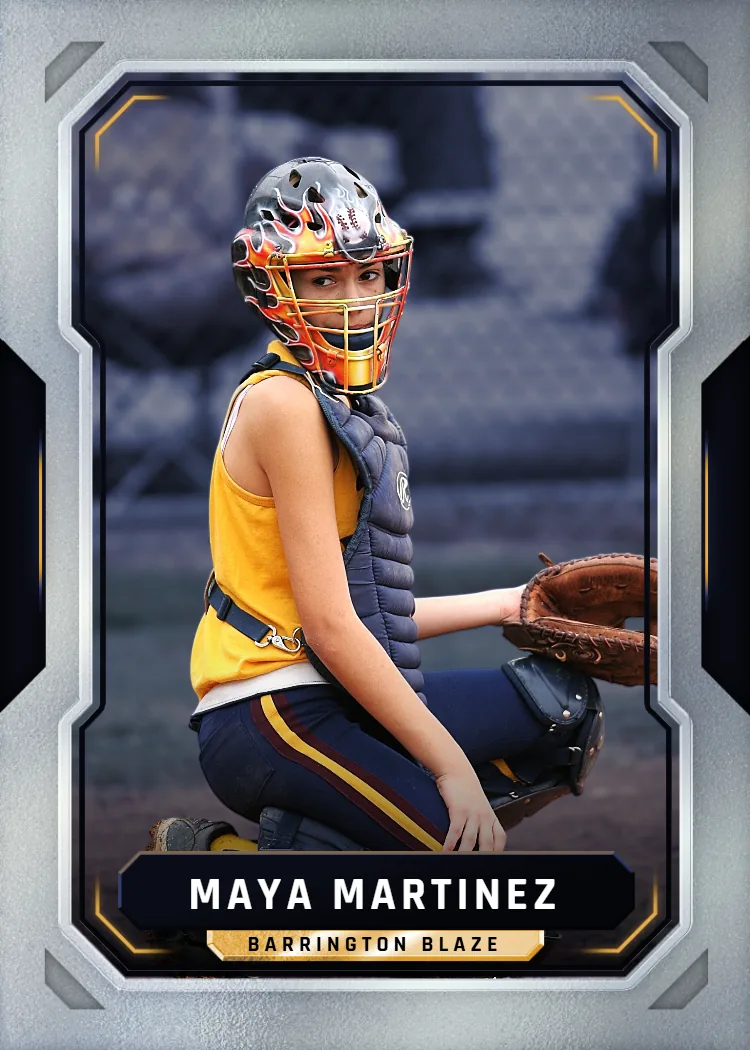
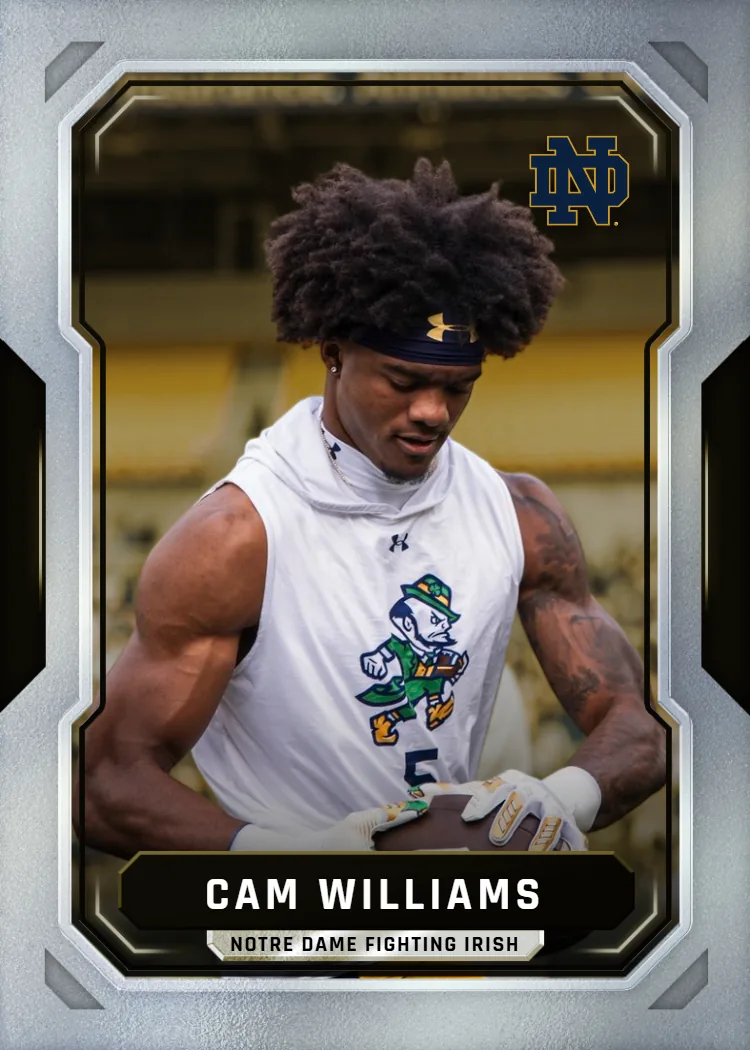
Upload your own artwork or photo, choose an available template, and preview your design before ordering a printed card.
Here's where most people get stuck: they find a free pokemon card template online, drop in a photo, and the result looks flat, pixelated, or just off. The layout is close, but the card stock is thin, the print colors wash out, and the corners peel after a week in a binder. That's the gap between a template file and an actual finished card you'd want to hold. A template is only step one — what happens after you hit print determines whether the card looks like a collectible or a printer-paper craft project.
Snapshot skips the download-and-guess part entirely. You upload any photo, choose from professionally designed templates built the way real trading cards are built, and we print it on premium card stock and ship it in 2-3 days. No software, no file wrangling, no guessing whether your printer can handle bleed lines or card-safe margins.
Let's separate what's actually true about card templates from what's just internet noise.
We ship custom cards to collectors and families in all 50 states every week, straight from our Des Moines production floor.
Frequently Asked Questions
Is a pokemon card template just a border you add in Photoshop?
Not quite — that's one of the biggest myths out there. A real template includes precise bleed margins, safe zones for text and stat boxes, and color profiles calibrated for actual card printing, not just screen display. A plain border you drag onto a photo in Photoshop ignores all of that, which is why so many DIY attempts print with cropped edges or shifted alignment. Professional templates are built backward from the printing process itself, accounting for how ink behaves on card stock versus regular paper. That's also why free downloadable templates from random websites often look fine on screen but print oddly, with text too close to the edge or colors that shift tone. When you use a template built specifically for print production, like the ones we use, the layout accounts for all of that automatically. You upload a photo, the system handles placement and margins, and the final card matches what you approved. It removes the guesswork that trips up most first-time template users.
Do I need design software to use a pokemon card template?
No, and this trips up a lot of people who assume otherwise. Many template sites require you to download a Photoshop or Illustrator file, which means you need both the software and the skills to use it correctly. That's a real barrier for most people who just want a finished card, not a new design hobby. Our process removes that step entirely — you upload your photo directly through the site, pick a template style, and the layout is generated for you without any editing tools involved. There's no file to open in a separate program and no risk of accidentally distorting the template while trying to move layers around. This matters most for people making a one-off gift or keepsake who have zero interest in learning design software for a single project. If you can upload a photo from your phone or computer, you can complete the entire process from start to finish without touching anything more complicated than a mouse click.
Will a free online pokemon card template actually print well at home?
Usually not as well as people expect, and that's the honest answer. Home printers aren't calibrated for card stock the way commercial printing equipment is, so colors often come out duller or shifted compared to what you saw on screen. Paper thickness is another issue — most home printers handle regular paper or light cardstock, not the professional card stock that gives trading cards their sturdy, authentic feel. Then there's cutting: free templates rarely include precise trim guides, so home-cut cards often end up slightly uneven at the edges. You can absolutely try it for a casual, low-stakes project, and plenty of people do for fun. But if you want something that feels like an actual collectible card rather than a craft project, professional printing on proper card stock makes a noticeable difference. That's really the core trade-off between DIY templates and a printed service — convenience of doing it yourself versus the quality of a finished product built for durability.
How long does it take to get cards printed and shipped?
Most orders are printed and shipped within 2-3 days, and that timeline holds whether you're ordering a single card or a full pack. This is noticeably faster than typical custom print services, which often quote a week or more depending on order volume. Because production happens at our Des Moines, Iowa facility, there's no overseas shipping delay or customs wait involved. Once your card design is approved on your end, it moves into the print queue quickly rather than sitting in a backlog. If you're planning around a birthday, holiday, or specific event date, it's smart to order at least a week ahead just to build in a buffer for standard shipping transit time. But for most everyday orders, the 2-3 day window from order to shipment is the realistic expectation, not a best-case estimate.
What photo quality works best for a custom trading card?
Clear, well-lit photos taken in focus produce the cleanest results, but you don't need professional photography equipment to get a good card. Natural daylight tends to work better than dim indoor lighting, since it reduces graininess when the image gets enlarged onto the card layout. Close-up shots where the subject fills most of the frame print sharper than distant photos that need heavy cropping. That said, plenty of casual phone photos turn out great as long as they're not extremely blurry or low-resolution to begin with. If a photo looks pixelated or fuzzy when you zoom in on your phone, it will likely look that way on the printed card too, since enlarging a low-quality image doesn't add detail back in. Screenshots from videos tend to be the lowest quality option and are best avoided if you have an alternative. When in doubt, use the highest resolution version of a photo you have access to rather than a compressed copy from a text message or social media download.
Can I make more than one card from the same photo?
Yes, and it's actually a common request. Some people want the same photo used across multiple template styles to compare which layout they like best before finalizing an order. Others want duplicate cards made so they can give copies as gifts to multiple family members at once. Since packs go up to $49.99 and cover multiple cards, this is often more cost-effective than ordering several single cards separately. There's no restriction on how many times a single photo can be used across different orders or template choices. This flexibility is especially useful for family photos, where several relatives might each want their own printed copy of the same shot in card form. If you're unsure which template style suits a photo best, ordering a small pack with a couple of different layouts is a practical way to test that out without committing to a large batch upfront.
Does the magnetic case actually protect the card long-term?
Yes, the magnetic case is designed specifically to prevent the kind of everyday wear that damages typical trading cards over time. It seals the card between two rigid, clear panels held together by magnets, which keeps out fingerprints, moisture, and surface scratches far better than a paper sleeve or top-loader alone. This matters more than people initially think, since premium card stock still shows wear if it's handled frequently without protection. The case comes free with every order, so there's no separate purchase needed to keep the card display-ready. It's also easy to open and reclose if you ever want to swap the card out or inspect it closely, unlike sealed plastic packaging that has to be cut open. For a card meant to be kept as a keepsake rather than played with, the magnetic case is genuinely the difference between it looking new years later versus showing edge wear within a few months of regular handling.
Is this only for Pokemon-style designs, or can other themes work too?
The template style is inspired by classic trading card layouts, but the format works well beyond just Pokemon-style designs. Plenty of customers use the same card structure for sports photos, pet portraits, family keepsakes, or fictional card projects unrelated to Pokemon at all. The appeal of the layout itself — bordered frame, stat-style boxes, a clean photo placement — translates across almost any subject you want turned into a collectible-feeling card. If you're specifically drawn to the Pokemon-inspired aesthetic, that's available as a template choice, but it's not a requirement to use the service. Some people mix and match, ordering one card in a sports-card style and another in a more game-card-inspired layout within the same pack. There's no rule limiting you to a single theme per order, so experimenting with different template styles across a multi-card pack is a reasonable way to see what fits your project best.
What's the actual cost difference between a single card and a pack?
A single custom card runs $17.99, while packs scale up to $49.99 depending on how many cards are included. For most people making one gift or one keepsake, the single card option covers it without added cost. But if you're making cards for multiple family members, building out a small personal collection, or want a few template styles to compare, a pack usually works out to a better per-card value. The MEGA option, priced separately at $49.99, is a completely different product — an 11-by-15-inch poster-sized version of a single card design, meant for display rather than handling. Choosing between single and pack really comes down to how many finished cards you actually want at the end of the process.
Can kids or teens use this for their own card projects?
Yes, this is actually one of the more common personal use cases we see. Kids and teens who are into trading card games often enjoy designing a card version of themselves, a pet, or an inside joke with friends, and the process is simple enough that minimal adult help is needed beyond the checkout step. Since there's no software to learn, a parent can start the upload and let the kid pick the photo and template style themselves. It's a low-effort creative project that results in something tangible they can actually hold, trade with friends, or display, rather than just another digital file. Birthday parties and end-of-season sports gifts are common occasions where a personalized card like this becomes a keepsake instead of another disposable party favor. Just keep in mind that account creation and payment still need to go through an adult, since the checkout process isn't designed for unsupervised use by minors.
How is this different from ordering trading card printing from a generic print shop?
Generic print shops typically print whatever file you upload without providing an actual card-specific template, which puts the entire design burden back on you. You'd need to build the layout, set your own bleed margins, and hope the print shop's paper stock resembles real card stock, which it often doesn't. Our process includes the template design itself as part of the service, so you're not starting from a blank canvas. We also specifically use premium card stock designed to mimic the feel of actual trading cards, rather than standard photo paper or generic cardstock a print shop might default to. The included magnetic case is another difference — most print shops don't package finished prints with any kind of protective display case at all. Turnaround time tends to be faster too, since our production process is built specifically around this card format rather than treated as one of many generic print jobs in a shop's queue.
What happens if I'm not happy with how the card turns out?
You get to see and approve the layout before it goes into production, which is the main safeguard against surprises. Since you're choosing the template and confirming the photo placement upfront, most quality concerns get caught before printing rather than after. If something does go wrong on the production or shipping side, reaching out directly is the fastest way to get it resolved, since issues are handled case by case depending on what happened. It helps to double check photo resolution and cropping during the approval step, since that's the part most within your control before printing starts. Once a card ships, changes obviously can't be made to that physical copy, so reviewing the preview carefully is worth the extra minute it takes. This is also why we recommend using higher-resolution photos when possible, since that's the single biggest factor in how sharp and clear the final printed card actually looks.
Free to design, instant preview. Free US standard shipping on orders $30+. Review delivery options at checkout.
How Does a Pokemon Card Template Actually Work?
A real template isn't a picture frame — it's a structured layout with bleed, safe zones, and print-ready color settings.
Upload Your Photo
Start with any photo — a pet, a kid's soccer photo, a family portrait, whatever you want turned into a collectible card. There's no minimum resolution requirement to start, though sharper images print cleaner. This is the step most free template sites skip explaining, which is why so many DIY attempts come out blurry.
Pick a Template Style
Browse layout options built to mimic pro card design — borders, stat boxes, foil-style accents, and card-game-inspired frames. You're not fighting with alignment guides or guessing at margins. Each template is already scaled correctly so nothing gets cropped or stretched once it's printed.
We Print and Ship
Once you approve the layout, it goes to production in Des Moines, Iowa. Cards print on professional card stock, get packed with a free magnetic case, and ship free over $30 anywhere in the USA. Production takes one business day; shipping time is quoted at checkout for your address.
No design software, no trial-and-error printing — just a finished card in your hands.
Before You Upload: A Quick Photo Checklist
- Photo is in focus and not pulled from a video screenshot
- Subject fills most of the frame, minimal need for cropping
- Lighting is even — avoid heavy shadows across the subject
- You've picked a template style before finalizing checkout
- Order timing allows for the 2-3 day production window plus shipping
Why Skip the DIY Template Route?
Free templates save you zero dollars if the final card looks amateur.
Print-Ready Accuracy
Home printers routinely misjudge bleed and color calibration, leaving borders crooked or colors dull. Our templates are pre-built for professional printing equipment, so what you see in preview is what actually ships.
Real Card Stock
Regular paper bends, tears, and fingerprints easily. Premium card stock feels like an actual trading card — sturdy, smooth, and built to survive a binder or a backpack without curling at the edges.
No Software Learning Curve
You don't need editing skills or design experience. Upload, select a template, done. Compare that to hours spent fighting alignment tools in a free online editor that crashes halfway through.
Fast Turnaround
Most custom card projects sit unfinished for weeks because printing logistics are annoying. We handle printing and shipping in 2-3 days, so your project actually gets finished instead of stalling in a folder.
Who Actually Uses a Custom Card Template Like This?
It's not just collectors — plenty of everyday moments turn into card-worthy material.
Birthday and Holiday Gifts
Turning a favorite photo into a personalized trading card makes a genuinely different gift than another mug or gift card. Grandparents, kids, and pet owners tend to react the strongest since the format feels collectible, not disposable, and it's something they'll actually keep.
Fan and Hobby Projects
People building their own fictional card sets, tribute cards for a favorite show, or personal 'trainer card' style keepsakes use this constantly. The template format gives structure without forcing anyone to learn design software from scratch.
Memory Keepsakes
Vacation photos, a milestone moment, a graduation shot — any of these become a physical card you can display in a magnetic case instead of scrolling past it in a phone gallery. It's a small format that holds a big memory.
Does This Actually Hold Up Once It's Printed?
Orders ship out of our Des Moines production facility every week, from single personal cards to full packs. The most common feedback we hear is surprise at how close the finished card feels to an actual pack-pulled trading card, right down to the stock thickness and print clarity.
What Does a Pokemon Card Template Project Cost?
Pricing is straightforward and scales with how many cards you want made.
Single custom card: $17.99. Packs: up to $49.99. MEGA 11"x15" poster card: $49.99. Free shipping over $30 across the USA on every order.
You get premium card stock, a free magnetic case, and 2-3 day turnaround — no hidden design fees or software subscriptions required.
Box Options
Simple, collectible pricing. No subscriptions, no hidden fees.
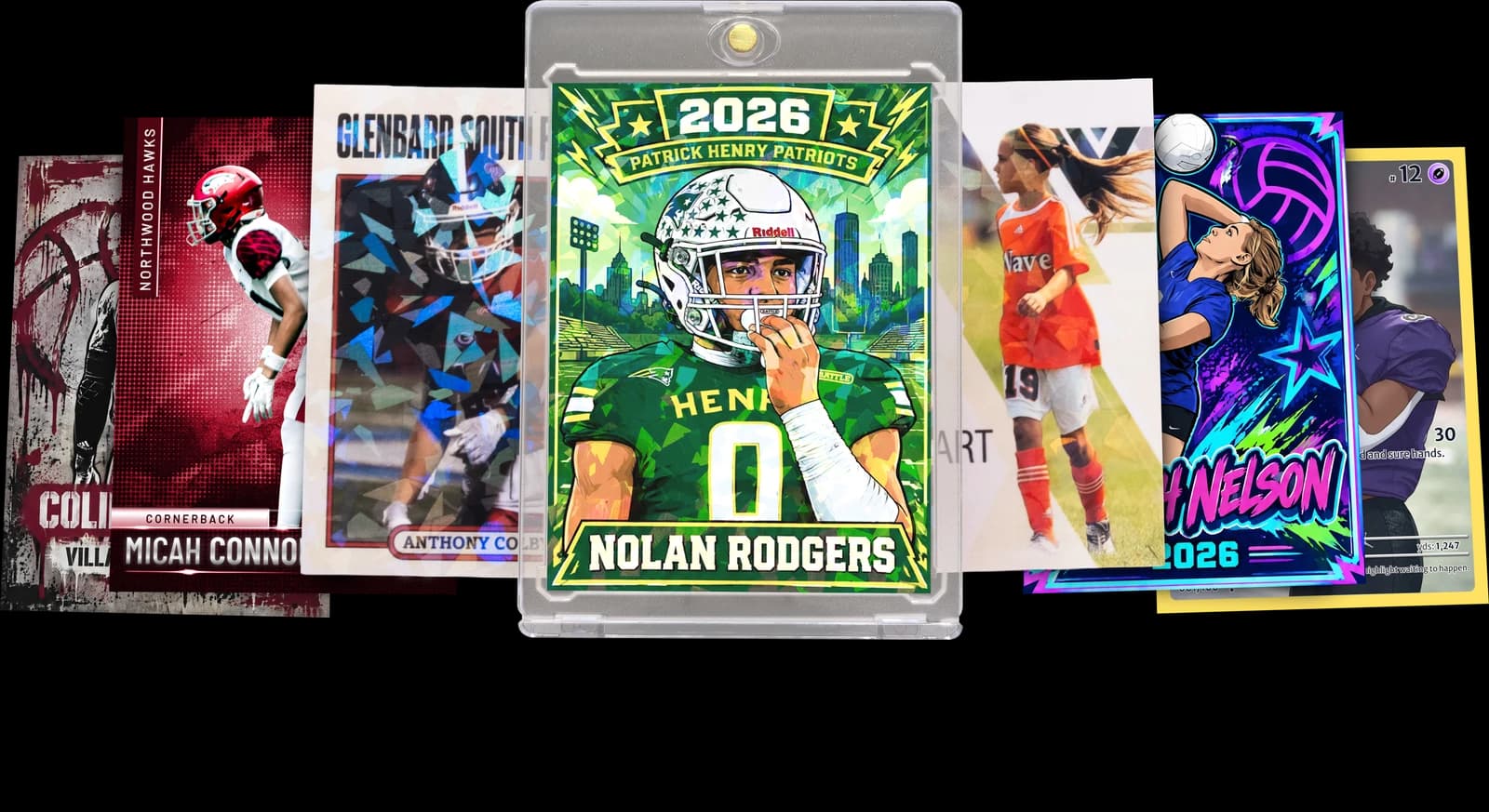
The Rookie Box
Perfect for those unforgettable moments
$17.99 - $49.99
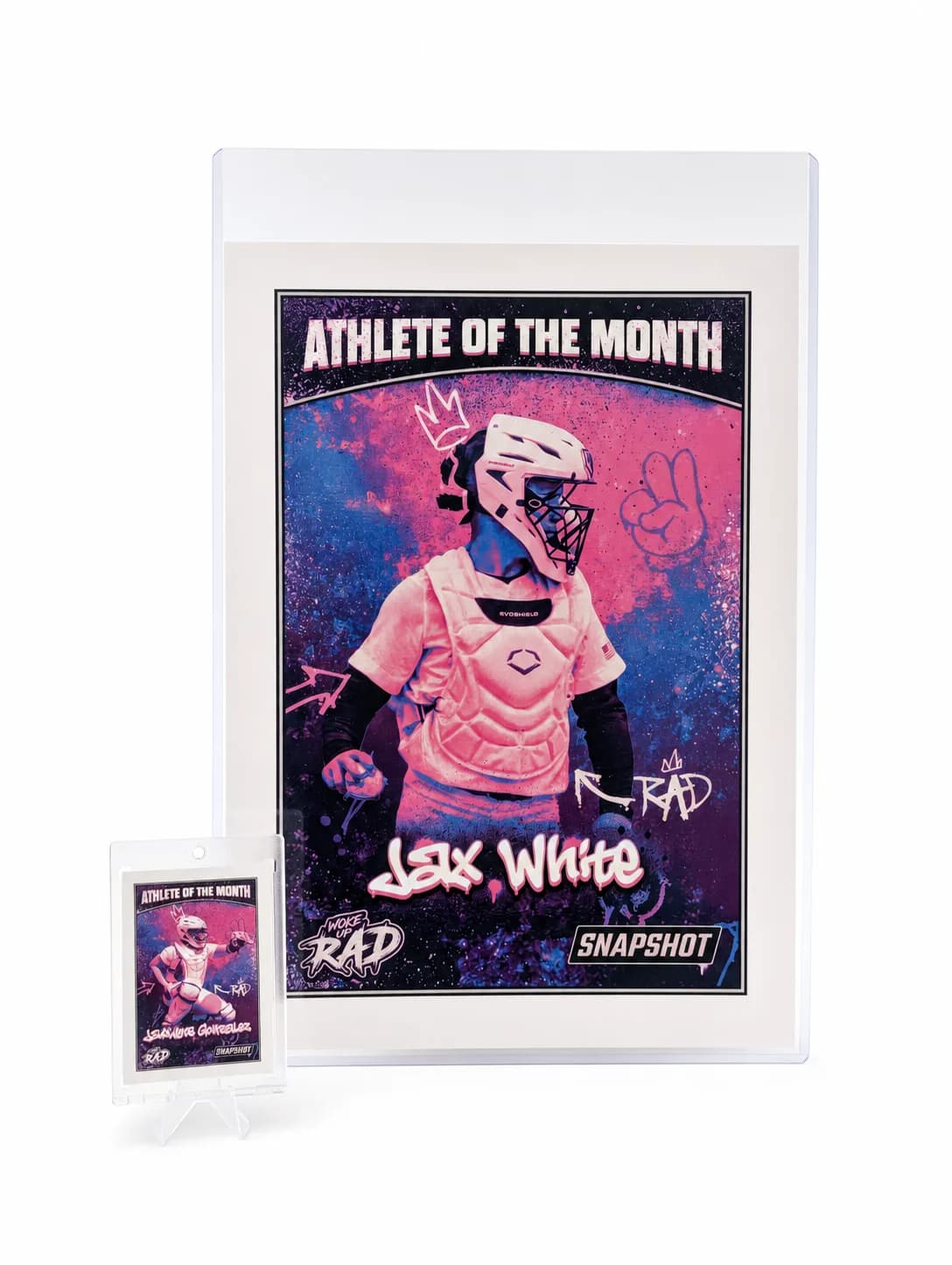
MEGA Card
Their moment, bigger than ever
$49.99
Create for free • Ships the next business day • Made in Des Moines, IA, USA
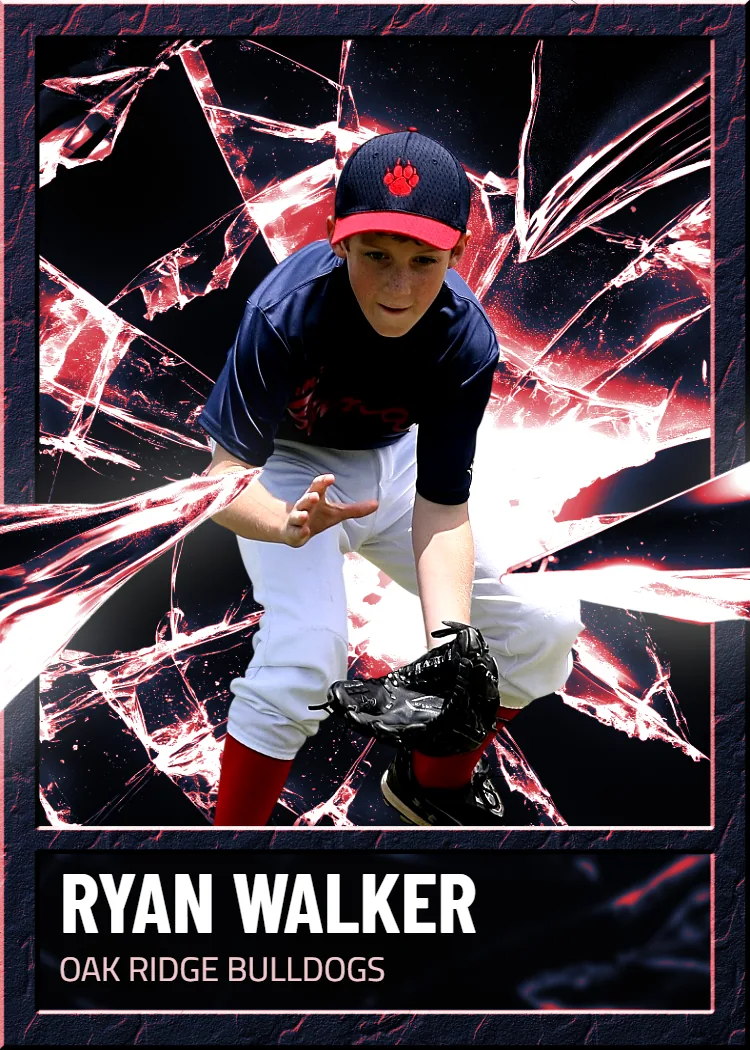
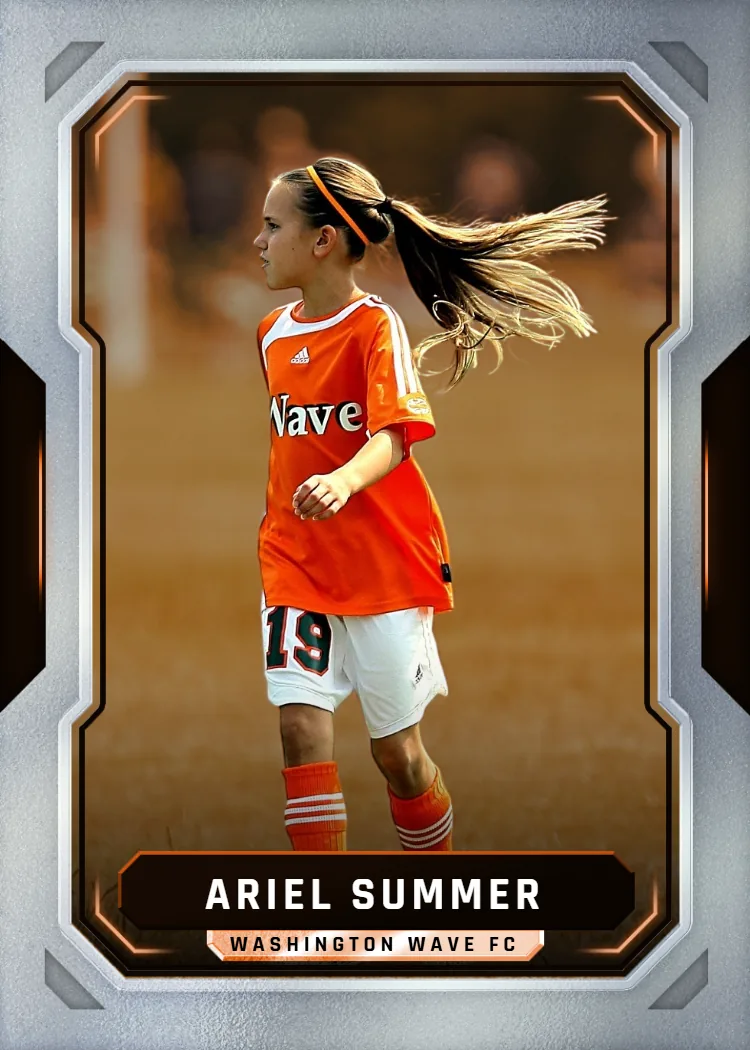


Ready to Build Your Own Pokemon Card Template Design?
Upload a photo, pick a template style, and let us handle the printing. Premium card stock, a free magnetic case, and shipping in 2-3 days — nationwide, no design software required.
Start Your Card NowNo credit card required | Instant preview | Pro-quality designs
Explore More Card Options
Discover more custom trading card options for every sport and occasion
pokemon card generator
View card options →
pokemon card creator
View card options →
custom pokemon cards
View card options →
how to grade pokemon cards
View card options →
pokemon trainer card maker
View card options →
grading pokemon cards
View card options →